REST reports generation from erwin ER360 requires an access token in order to authenticate yourself. Once generated, you can reuse this token to generate catalog reports.
To generate an access token via the Token feature, follow these steps:
-
Log on to erwin ER360 and click
 on the top right corner.
The User Account options open.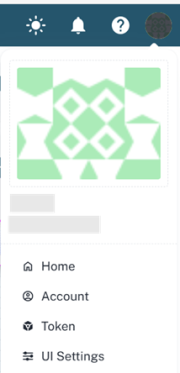
-
Click Token.
The Access Token page opens, and a token is generated automatically. This token can be used to authenticate requests to the erwin ER360 REST API services to download REST reports.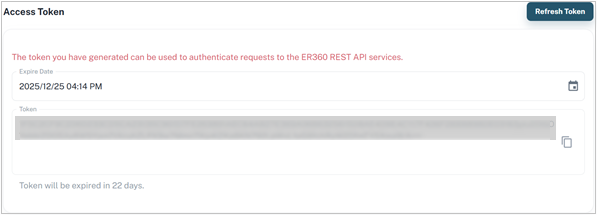
-
Click
 to copy the token and use it to generate REST reports.
You can click Refresh Token if you want to regenerate a token.