Worksheet Enhancements
erwin ER360 introduces the following Worksheet features:
-
MetaQL Support: You can now use MetaQL, a lightweight, SQL-like query language, to make your filter logic in data models easier to understand, share, and audit.
To view and edit a MetaQL query, follow these steps:
-
In the Filters pane, click
 .
.The MetaQL query for the applied filters is displayed.

-
Update the filters in the query as required, and then Click Execute.
For example, change the text value from 'Customer' to 'Movie'.

You can view the filtered data.
-
-
Advanced Filters: Additional filters are improved to enable you to refine searches for metadata objects with enhanced control. You can filter records using an extensive range of common attributes, object attributes, and user-defined properties (UDPs) to generate more accurate and relevant results.
The following table lists a few examples:
Common Attributes
Object Attributes
UDP
Certification Count
Certified By
Comment Count
Commented By
Created By
Created Date
Endorsed By
Endorsement Count
Parent Name
Updated By
Updated Date
Warned By
Warning Count
Comment
Data Type
Definition
Name
Default Value
Nullable
Create Date
Color
Data Steward
Attribute Owner
Date Created
-
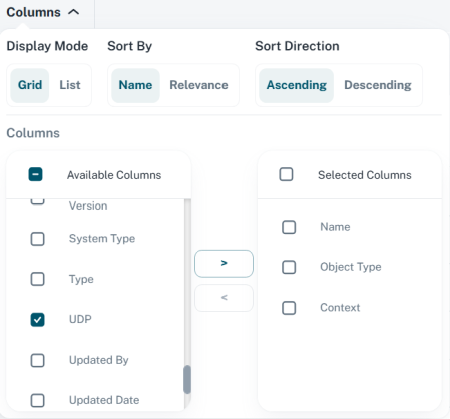
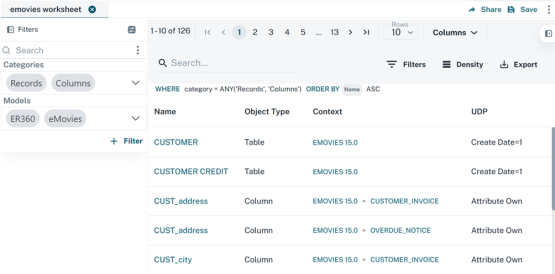
User-defined Properties: You can now view and add user-defined properties to filter results using the Column option. These user-defined properties are also visible in the Properties pane.