JSON Enhancements
Several enhancements have been implemented for JSON:
User-Defined Properties in JSON Forward Engineering
To include user-defined properties in forward engineering, you need to select the following options:
-
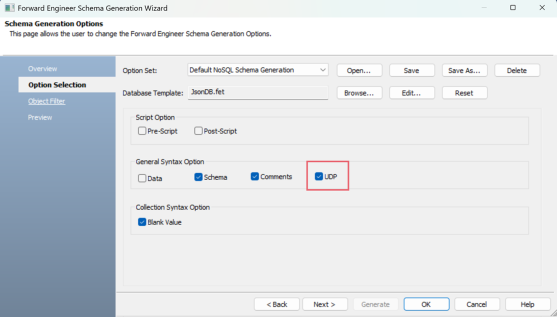
UDP: In the Option Selection section of the Forward Engineer Schema Generation Wizard, select the UDP checkbox.
-
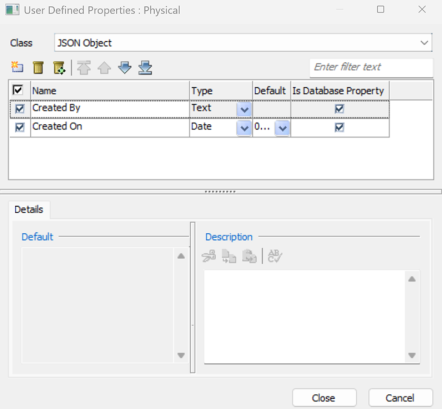
Is Database Property: In the User Defined Properties editor, select the Is Database Property checkbox .
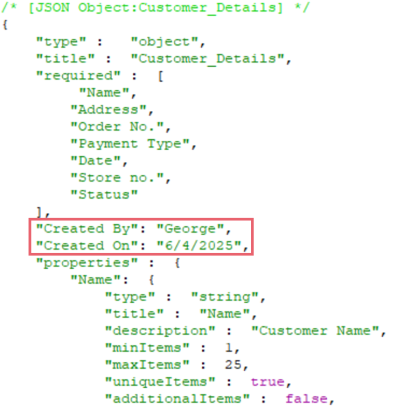
When you select these options and generate a script for a JSON model, user-defined properties are also generated as displayed in the following image.
Definitions for JSON Fields
You can now create a list of reusable definitions using the predefined keyword, $Defs. These definitions can then be assigned to fields within the object in which they are created, or to fields in other objects, depending on the definition type.
To create JSON definition libraries with a predefined field, follow these steps:
- In the Model Explorer, double-click the object where you want to create a definition library.
- Right-click the Fields node and click New.
An instance of the field is created. - Name the field as $Defs.
- Right-click the $Defs field and click Properties.
The field's property editor opens. - On the General tab, set the values of all the required properties.
- Physical Data Type
Specifies the data type for fields. This must be Object for the $Defs field.
- Definition Type
Specifies the definition of the field. This option is available only for the $Defs fields and includes following options:
External: Select this option to apply the definition to fields across all objects in the model.
Internal: Select this option to apply the definition only to fields within the object they were created in.
- Right-click the $Defs field and click New.
- Name the definition as required.
An instance of the definition is created.
Similarly, you can create a list of definitions.
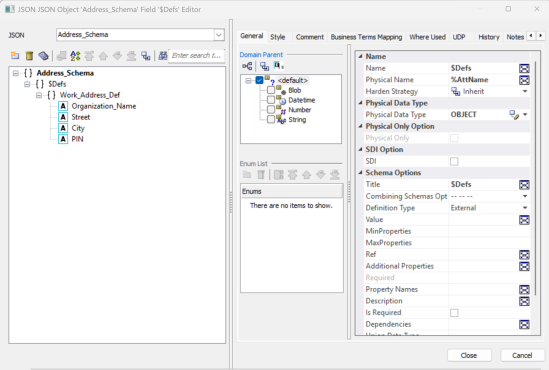
For information on properties, refer to the Defining JSON Fields topic.
The Physical Data Type for the $Defs fields must be Object. And a JSON object cannot contain both internal and external definitions.
Assigning JSON Definitions to Fields
Follow these steps to assign a JSON definition to fields:
-
In the JSON Field Editor, right-click the required field node and click $Defs.
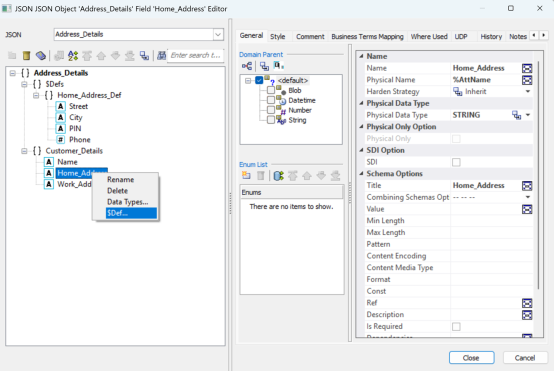
- On the $Defs List window, select the definition you want to use and then click OK.
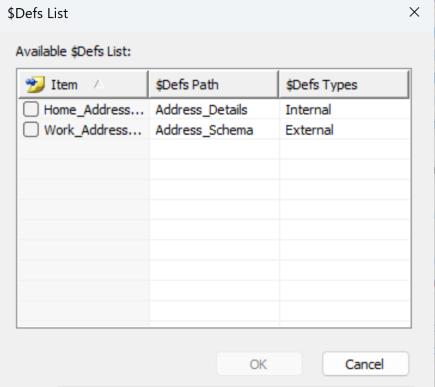
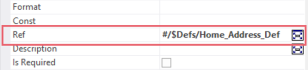
The selected definition is assigned to the field. When you select the field, the Ref property displays the assigned definition.
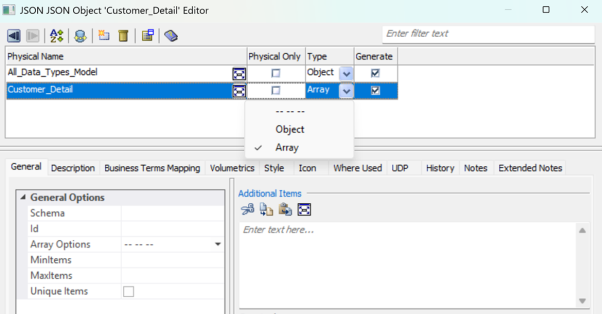
Array Object Type
JSON models now support Array type for objects