Deleting Systems
You can delete unwanted systems which are not required anymore.
Note: You can not delete a system with one or more environments under it. Ensure that you delete all the environments under it before you delete a system.
To delete systems, follow these steps:
- Go to Application Menu > Data Catalog > Metadata Manager.
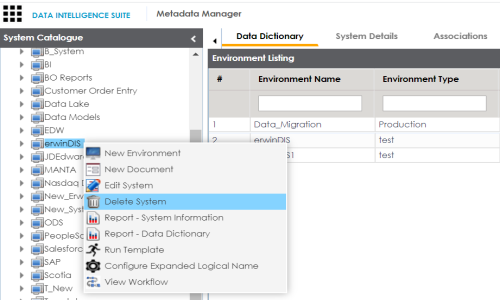
- Under the System Catalogue pane, right-click the system to be deleted.
- Click Delete System.
- Click Yes.
A warning message appears.
The system is deleted.
|
Copyright © 2020 erwin, Inc.
All rights reserved.
|
|