You can document your requirements in the specifications.
To document specifications, follow these steps:
- Go to Application Menu > Data Catalog > Requirements Manager.
- Under the Requirements Workspace pane, expand the desired project.
- Click the desired specification.
- Hover over an artifact bar and use the following options:
- Expand or Collapse (
 or
or  )
)- Use this option to expand or collapse the artifact.
- Edit (
 )
)- To enter content in the artifact, click
.- Add Specification Artifact (
 )
)- Use this option to add child artifacts.
- Note: Child artifacts will contain the custom form added to the artifact.
- Expand or Collapse (
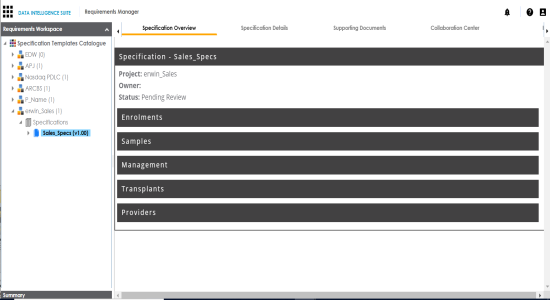
The Specification Overview page appears. It displays the template, and the artifacts.
|
Copyright © 2020 erwin, Inc.
All rights reserved.
|
|