Tagging Business Assets
You can assign one or multiple enterprise tags to a business asset.
To tag a business term, follow these steps:
- Go to Application Menu > Data Literacy > Business Glossary Manager > Explore.
- In the Business Asset list, select Business Terms. The workspace switches to the business terms view.
- On the Compact View tab, select a business term and click
 , or click
  > .
> . - Under the Miscellaneous section, type an enterprise tag. You can select an enterprise tag from the suggestions that appear.
Alternatively, on the Grid View tab, under the Options column, click .
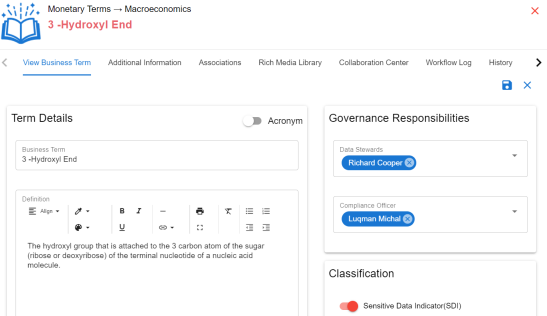
The View Business Term opens in edit mode.
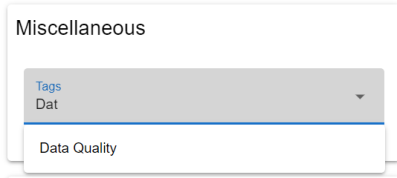
You can create an enterprise tag by typing an enterprise tag name in the Tags box and then pressing Enter.
Similarly, you can tag business policies and business rules.