You can create codesets in the Codeset Manager and assign them to a source or target column as valid values. You can also export the valid values in the XLSX format.
To assign codesets to columns, follow these steps:
- In the Data Catalog pane, click a column.
- Click the Valid Values tab.
- On the Valid Values tab, click Assign/Remove Codesets.
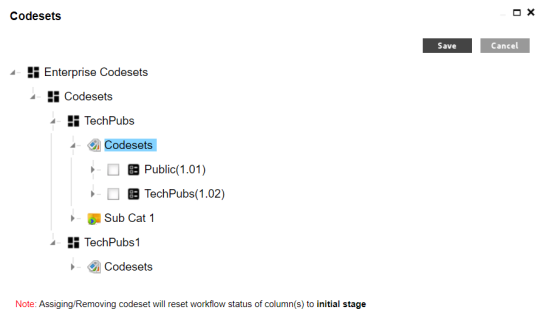
- Select the required codesets and click Save.
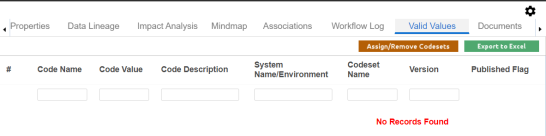
The Codesets page appears.
The codesets are saved on the Valid Values tab.
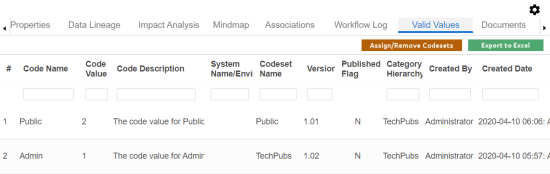
You can download the assigned codesets in the XLSX format. To download the assigned codesets, click Export to Excel.
For more information on managing codesets, refer to the Maintaining Enterprise Codesets section.