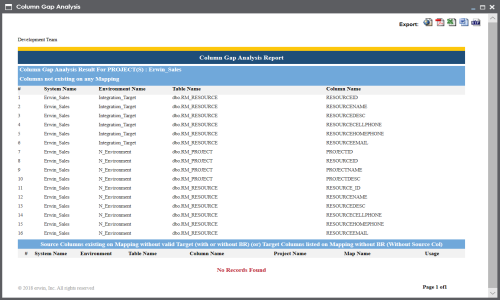
A column gap analysis enables you to find:
- Columns not existing in mappings
- Source columns existing on mappings without valid target
- Target columns listed on mappings without business rule and source column
You can perform column gap analysis at the following levels:
- System
- Environment
- Table
To perform column gap analysis, follow these steps:
- Go to Application Menu > Data Catalog > Mapping Manager.
- In the Workspace Mappings pane, click a project.
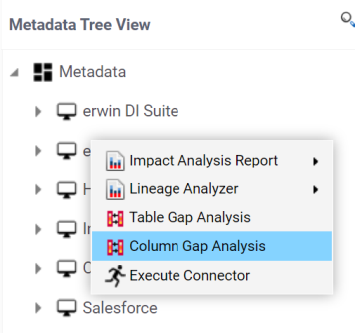
- In the Metadata Tree View pane, you can right-click a:
- System: Use this option to run the analysis on all the columns under a system.
- Environment: Use this option to run the analysis on all the columns under an environment.
- Table: Use this option to run the analysis on all the columns under a table.
- Click Column Gap Analysis.
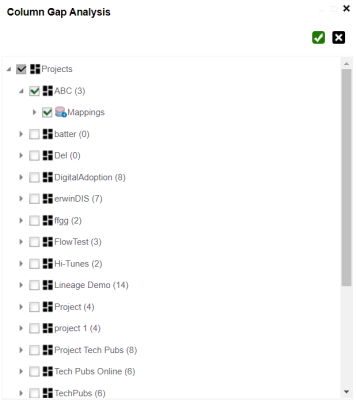
- Select projects and mappings.
- Click
 .
.
The Metadata Tree View pane appears on the right.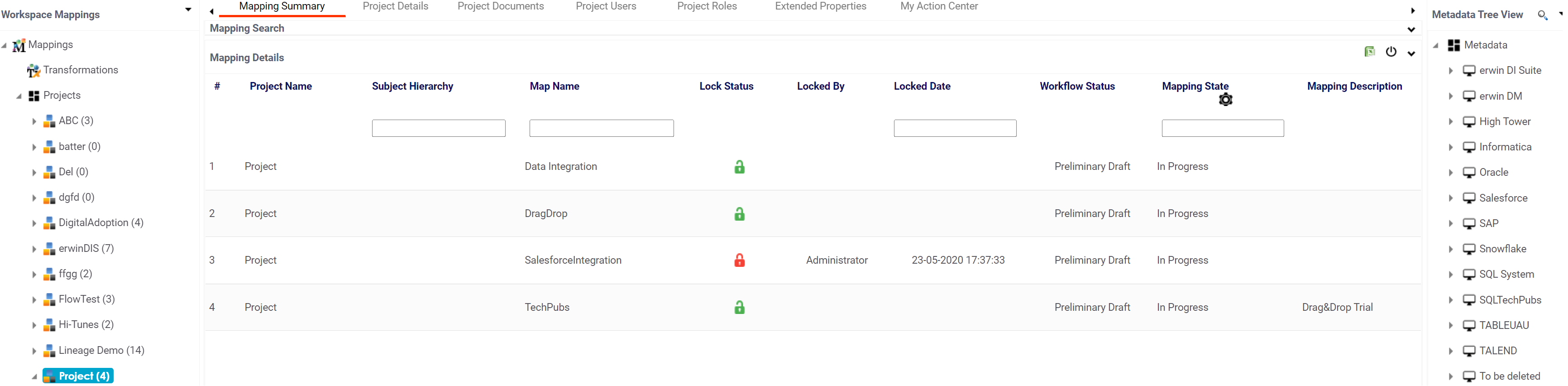
For example, the following image displays the available options when you click a system.
The Column Gap Analysis page appears.
The Column Gap Analysis Report for the selected projects and mappings appears.