From the Reporting Manager you can:
You can also import reports from a different category.
Export Reports
To export reports, follow these steps:
- In the Reporting Workspace pane, expand the Reports node, and right-click a report.
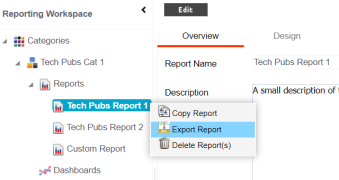
- Click Export Report.
The report is downloaded in .ARP format.
You can extract the report in .XML format from the .ARP file.
Import Reports
To import reports, follow these steps:
- In the Reporting Workspace pane, expand a category node, and right-click the Reports node.
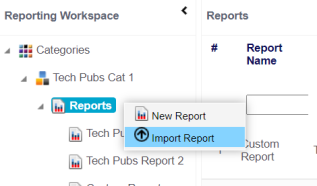
- Click Import Report.
- Drag and drop the report (.ARP format) or use
 to browse the report.
 - Click
 .
.
The Import Report page appears.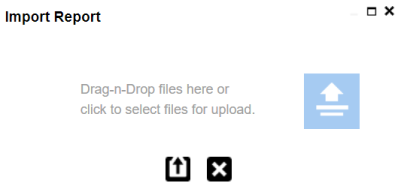
The report is imported to the category.
|
Copyright © 2023 Quest Software Inc. |