Association of a form depends on the type of the form. You can associate forms in the following manner:
|
Form Type |
Association |
|---|---|
|
Table Properties |
You can associate it to multiple environments or Systems. If the form is associated with a system then it is applicable to all the environments under the system. |
|
Column Properties |
You can associate it to multiple environments or systems. If the form is associated with a system then it is applicable to all the environments under the system. |
|
Environment Properties |
You can associate it to multiple systems. |
To associate forms, follow these steps:
- Go to Application Menu > Settings > Miscellaneous > Form Validation Settings.
- In the Options column, click
 .
. - Select the systems or environments, and click
 .
.
The following page appears.
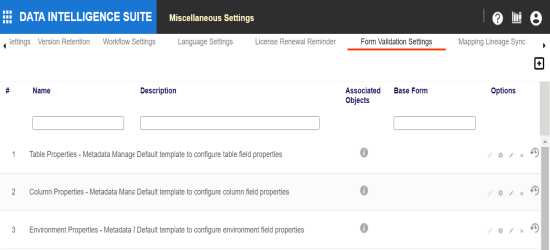
The Associate Environments page appears.
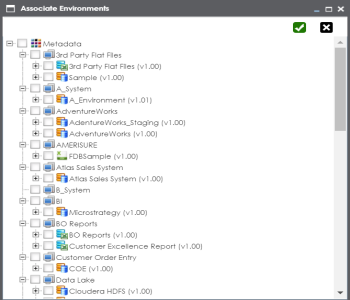
The form is associated.
|
Copyright © 2022 Quest Software Inc. |