You can view mappings of technical assets (tables and columns) where they act as source or target.
To view mappings, in the <Technical_Asset> grid, click  .
.
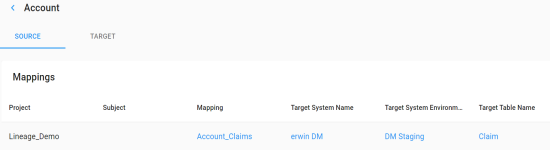
The Mappings page appears. By default, the Source tab opens.
For example, the following image displays mappings of the Account table where it acts as source.
To view a list of mappings where the technical asset (table or column) is a target, click the Target tab.
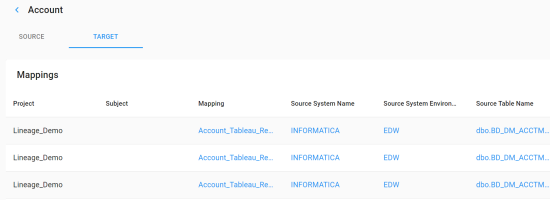
You can click <Mapping_Name>, <Source_System_Name>, <Source_System_Environment>, or <Source_Table_Name> to view their details.
|
Copyright © 2020 erwin, Inc.
All rights reserved.
|
|